See which version of Sasha you run, how updates arrive, and refresh shared skills and documentation
Settings → Version shows the version your Sasha runs and the newest release, and gives admins three maintenance actions for skills, docs and chat folders.
- Where
- Settings → Version
- Who
- Every account that can open Settings sees the versions. The maintenance actions are for admins (system:manage).
- Needs
- For the newest-release check, a GitHub token on the server. Without it the available version shows "Unknown".
What this screen shows
The two version rows start with the product's old name; this page shortens them to Version (deployed) and Version (available).
| Row | Meaning |
|---|---|
| Version (deployed) | The version your Sasha runs now. |
| Version (available) | The newest release. Sasha checks every 5 minutes. Unknown if it cannot check. |
| Update Available (beside Latest Version) | Shown when the two differ. |
When an update is available, How to upgrade: says Self-upgrading not yet available: the people who run your Sasha install updates on the server. The screen has no release notes; ask them what a release contains.
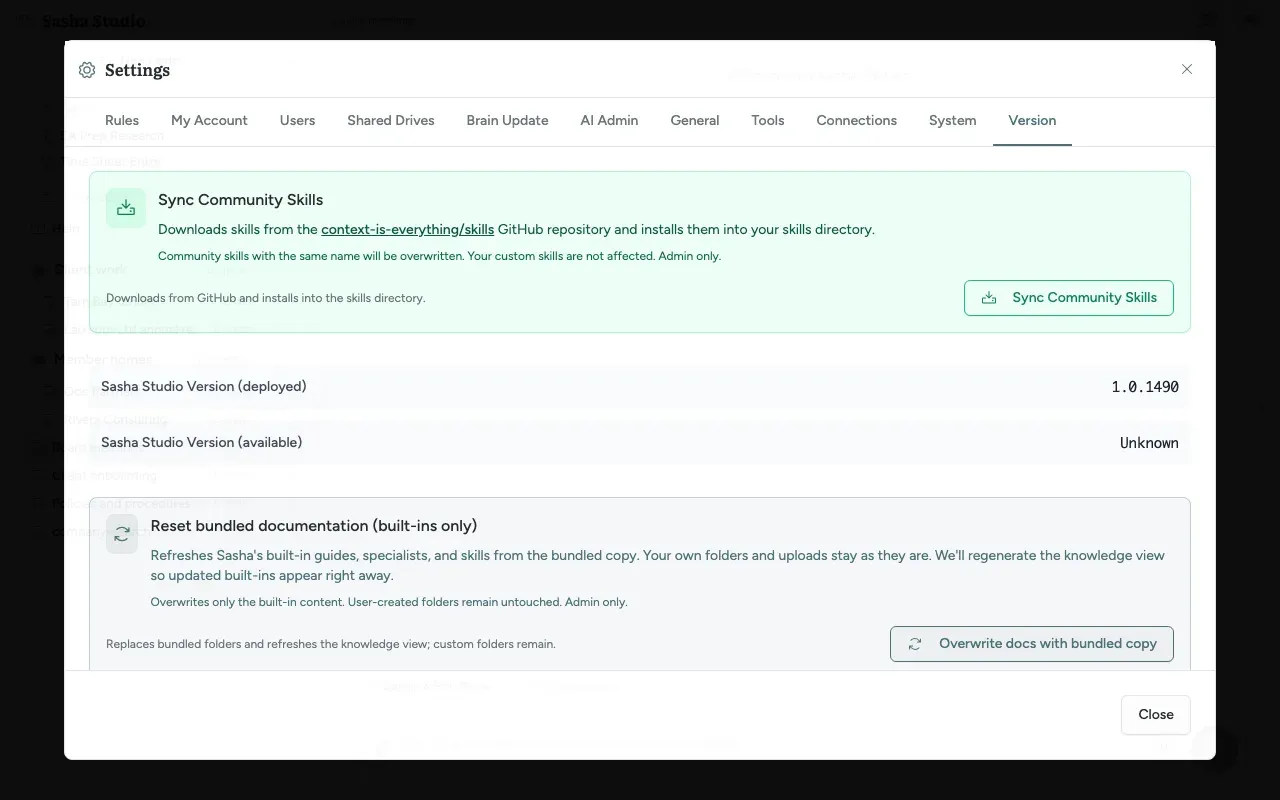
Maintenance actions (admins)
Each action asks you to confirm first.
| Card | Button | What it does | What it never touches |
|---|---|---|---|
| Sync Community Skills | Sync Community Skills | Copies the skills from the public Context is Everything skills collection into your skills folder. Overwrites community skills with the same name. Skips folders without a skill file. | Your own skills with other names |
| Reset bundled documentation (built-ins only) | Overwrite docs with bundled copy | Restores the built-in documentation folders from your installed version. | Projects, members' homes, custom folders, uploads |
| Update File System Layout | Update File System Layout | Repairs legacy chat folders and records so conversations open under the right project. Shows Projects processed, Directories migrated, Metadata updates and Conversations missing transcripts. | Project names and locations |
When to use them:
- Sync Community Skills: after Context is Everything announces new or improved community skills.
- Reset bundled documentation: when the built-in guides look wrong or out of date after an update.
- Update File System Layout: when a conversation opens under the wrong project or does not open.
How updates reach your Sasha
- Context is Everything publishes a release, with a version number such as 1.0.1490.
- The people who run your Sasha install it on your server. Sasha restarts: from a few seconds to several minutes, depending on how your Sasha is hosted. Open chats disconnect for that time.
- The Version (deployed) row shows the new number.
Limits to know
- No update from inside Sasha.
- No release notes on this screen.
- An update keeps Project rules that an admin edited, and brings in the new shipped set only where nobody did. See Give Sasha standing instructions that apply to every chat, and a starting set for new projects.
- The Regenerate knowledge HTML card calls a feature that was removed from Sasha. Do not use it.
Questions
How do I update Sasha?
Not from this screen. "Self-upgrading not yet available" means that the people who run your Sasha install each new version on the server. When a new release exists, the screen shows Update Available; tell them, or wait for their update.
Will an update change my documents or chats?
No. An update replaces the Sasha software. Your projects, members' homes, chats and settings stay. Sasha restarts during an update, so open chats disconnect for a short time. Project rules that an admin edited are kept.
What does Sync Community Skills do?
It downloads the skills from Context is Everything's public skills collection and copies them into your skills folder. A community skill with the same name as one you have is overwritten; your other skills stay.
What does Reset bundled documentation do?
It puts back the built-in Sasha documentation folders as they ship with your version. Your projects, members' homes, custom folders and uploads are not touched.
What does Update File System Layout do?
It repairs old chat folders and chat records so each conversation opens under the right project. It does not rename or move projects, and you can run it more than once.
Why does the available version say Unknown?
Sasha asks GitHub for the newest release, and that needs a GitHub token on the server. Without the token, Sasha cannot check and shows Unknown. Your Sasha still works.