Let an agent do a regular job for you
Why this exists
Some jobs in a small business must happen every week, and they slip when people are busy. A prospect goes quiet and nobody writes for three weeks. A cost goes up and nobody sees it until the bill arrives. An agent does one of these jobs on a schedule. It reads what Sasha knows, finds what needs you, and prepares the work, so that your part is a short check and a decision.
An agent never acts on its own. It shows you what it found and what it suggests, and a person makes each decision.
An example
At Context is Everything, the CRM Agent runs every day at 07:00. On 3 November it read 43 customers and 51 things that happened: their activity, their open requests and the fixes that shipped that week. It found one follow-up that was 21 days overdue, and wrote 4 drafts: two notes to tell customers that what they asked for is fixed, the overdue follow-up, and a check-in.
The picture shows the report on the agent's page. The names of customers are hidden in the picture.
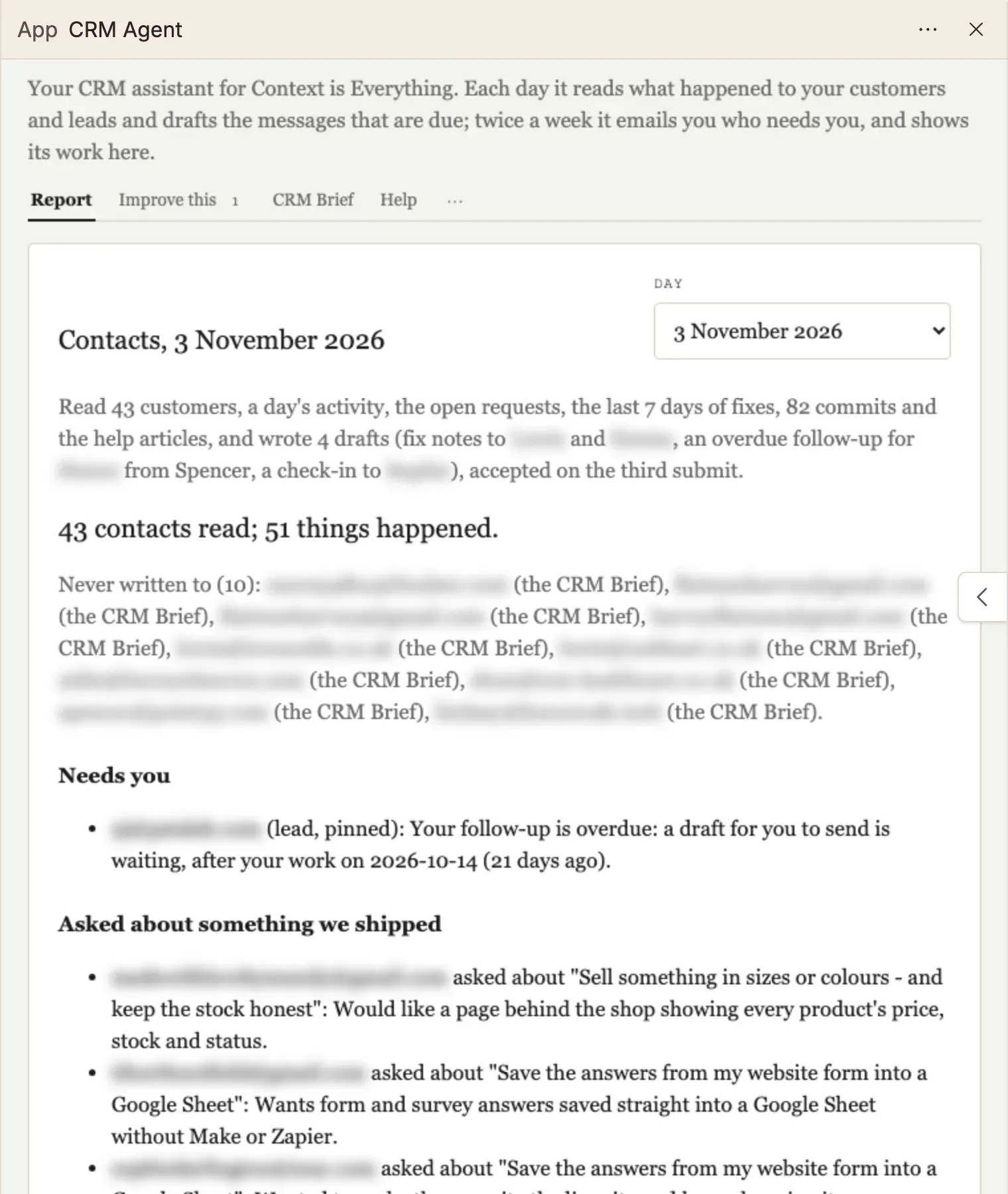
The drafts wait under the report. Nobody had to remember to look.
How to do it
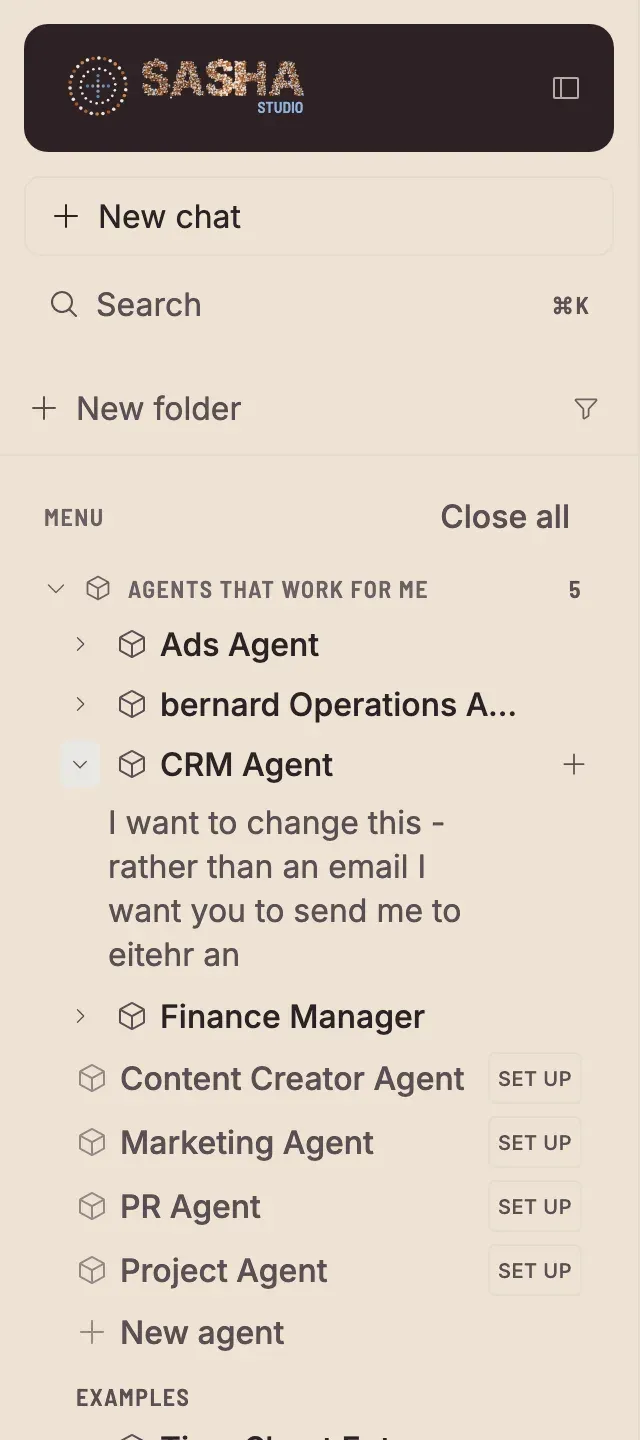
- In the side menu, open Agents that work for me. Each agent that is ready has a row. A role that is not set up yet shows Set up.
- Click an agent to open its page. The Report tab shows the latest report. Use Day to see an earlier one.
- Read Needs you first. It lists what the agent cannot decide for you.
- Work through the drafts and held items. See Approve, change or bin what an agent drafted.
- To get an agent that you do not have yet, an admin clicks the role with Set up, reads what it needs, and clicks Set it up. See Set up an agent, step by step.
Who can do this
- Admin: sets up an agent, changes its brief and its settings, starts a run, and approves held items.
- Staff: reads the reports, and edits, sends and bins drafts.
- Member: cannot sign in to the Sasha web interface, so does not see agents.
For everything each role can do, see Who can do what in Sasha.
Limits today
- An agent reads only what is connected to Sasha. If a source is not connected, the report says that it was not read.
- A report is only as good as what Sasha knows about your business. When you set an agent up, Sasha tells you what is missing.
More detail
- How to read a report, the brief and the settings: the product guide page on team roles.
- The CRM Agent in full: the CRM Agent page.
- When the agent runs: Run a job on a schedule, without asking each time.
Questions
Does an agent send emails or change things on its own?
No. An agent reads, writes a report and makes drafts. A person sends each draft. Any other change waits in Held items until an admin approves it.
Which agents can I have?
Your Sasha shows them under Agents that work for me. An agent that is ready has its own page. A role that is not set up yet shows Set up next to its name, for example a Marketing Agent or a PR Agent. New agent asks Sasha for a different one.
How often does an agent run?
On its schedule. For example, the CRM Agent at Context is Everything runs every day at 07:00 London time, and the Finance Manager on the 2nd of each month. You can also start a run at any time with Run now on the agent's page.
How does the agent tell me what it found?
It sends a short email to the people in its settings, and it keeps every report on its page in Sasha. The email links to each draft that waits for you.
Can I change what an agent pays attention to?
Yes. Each agent has a brief, which says what it looks at and what it must never do. An admin changes it with Edit on the brief tab, or by asking Sasha in a chat.