Connect Notion so Sasha can read and work with your Notion pages
The steps in Notion and in Settings → Shared Drives that put your Notion pages in Sasha's file tree, and how to fix an empty Notion folder.
- Where
- Notion (Settings → Connections) first, then Settings → Shared Drives in Sasha.
- Who
- A Sasha admin, or staff who can manage shared drives, with a Notion account that is a Workspace owner.
- Needs
- A Notion connection of type API token, with the pages Sasha should see chosen on its Content access tab.
What this page is for
Connect Notion once, and the Notion pages you choose show in Sasha's file tree, next to Google Drive, OneDrive and SharePoint. People can open them in Sasha, and Sasha can use them in chat. For the Sasha screen itself, see Let Sasha read files that live in OneDrive, SharePoint or Google Drive without uploading them.
You do the steps once for each Sasha. They take about 5 minutes. You need to be a Workspace owner in Notion.
Step 1: make a connection in Notion
- In Notion, open Settings → Connections.
- Click + Add connection, then choose Developer connection. Notion opens Developer tools → Connections.
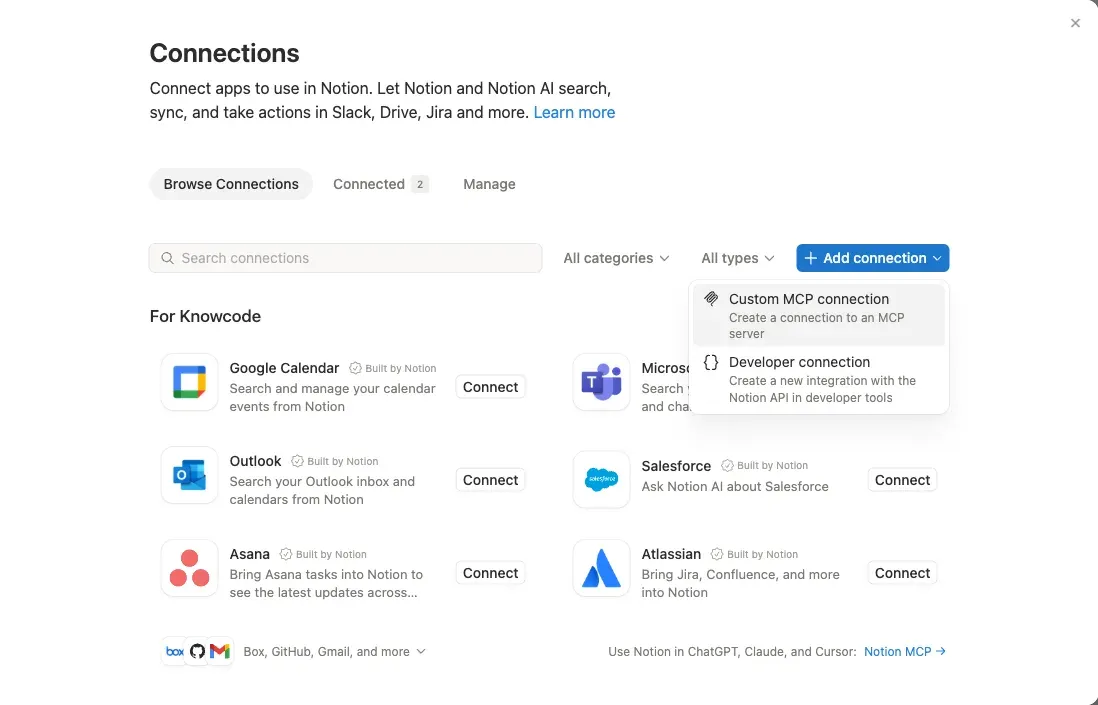
- Click New connection.
- Type the name Sasha, keep API token, and click Create connection.
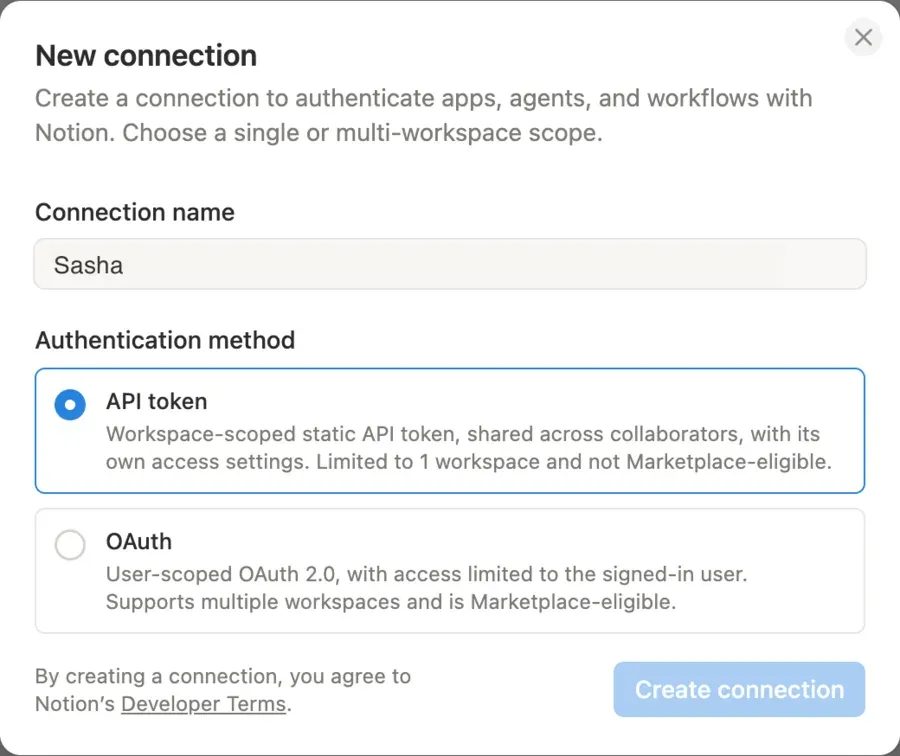
Step 2: set what the connection can do
On the Configuration tab of the new connection:
- Under Capabilities, keep Read content, Update content and Insert content ticked.
- Under User capabilities, click Read user information without email addresses. Notion starts with "including email addresses", so change it.
Notion saves each change at once. This tab has no Save button.
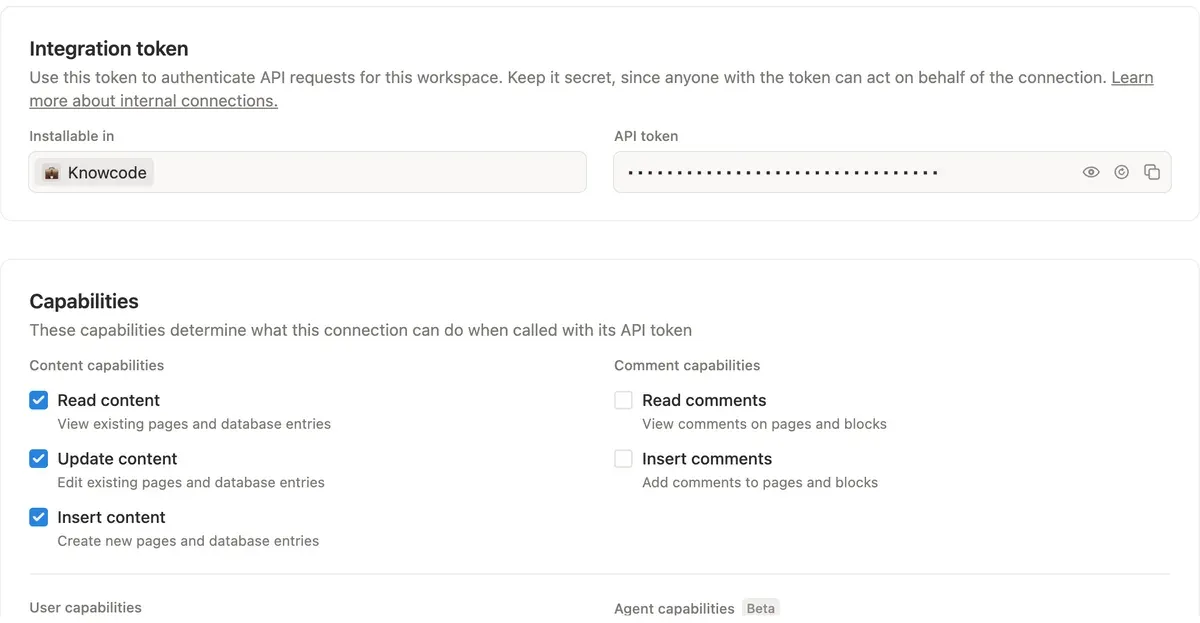
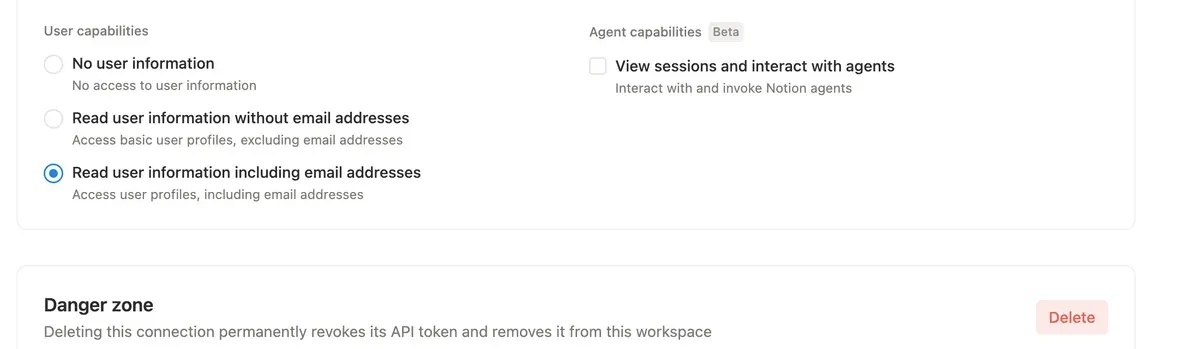
Step 3: choose the pages Sasha can see
Do not skip this step. A new connection shows No page access, and Sasha sees nothing until you choose pages.
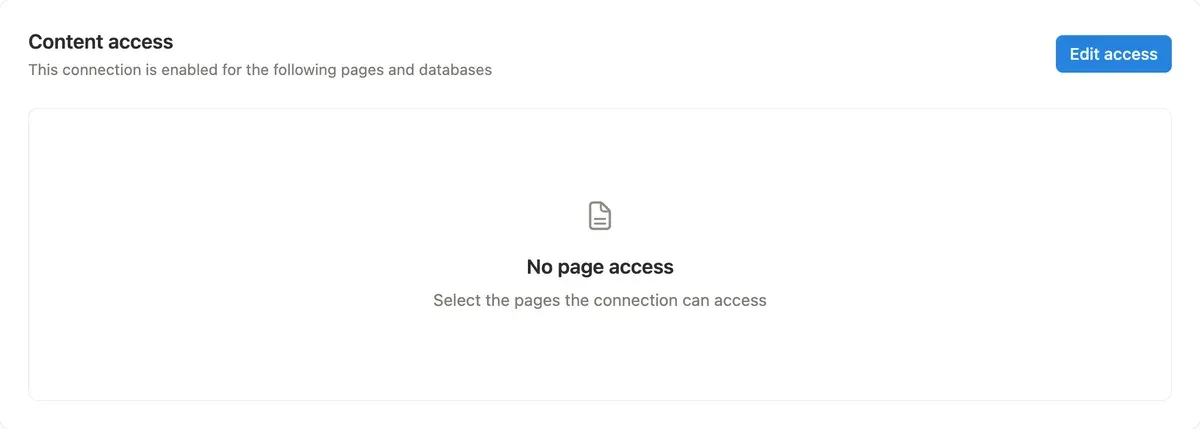
- Open the Content access tab and click Edit access.
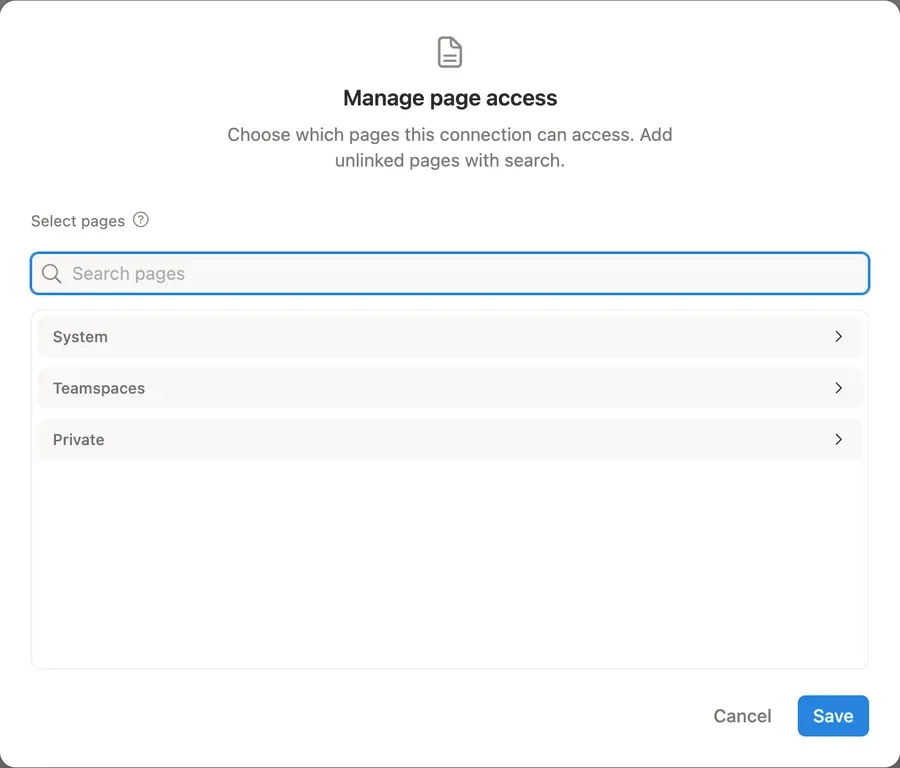
- Open Teamspaces or Private, or use Search pages, and tick the teamspaces or top pages Sasha should see. Sasha also sees every page under them.
- Click Save.
Step 4: add Notion in Sasha
- In Notion, open the Configuration tab again. Under API token, click the copy icon.
- In Sasha, open Settings → Shared Drives and click Add Connection.
- Choose Notion as the provider. The form shows the same steps as this page.
- Paste the token into API token (from Notion).
- Choose the Access:
- Read only: people and Sasha can read Notion pages.
- Read and write: Sasha can also change and create pages when someone asks in chat.
- Click Connect Notion.
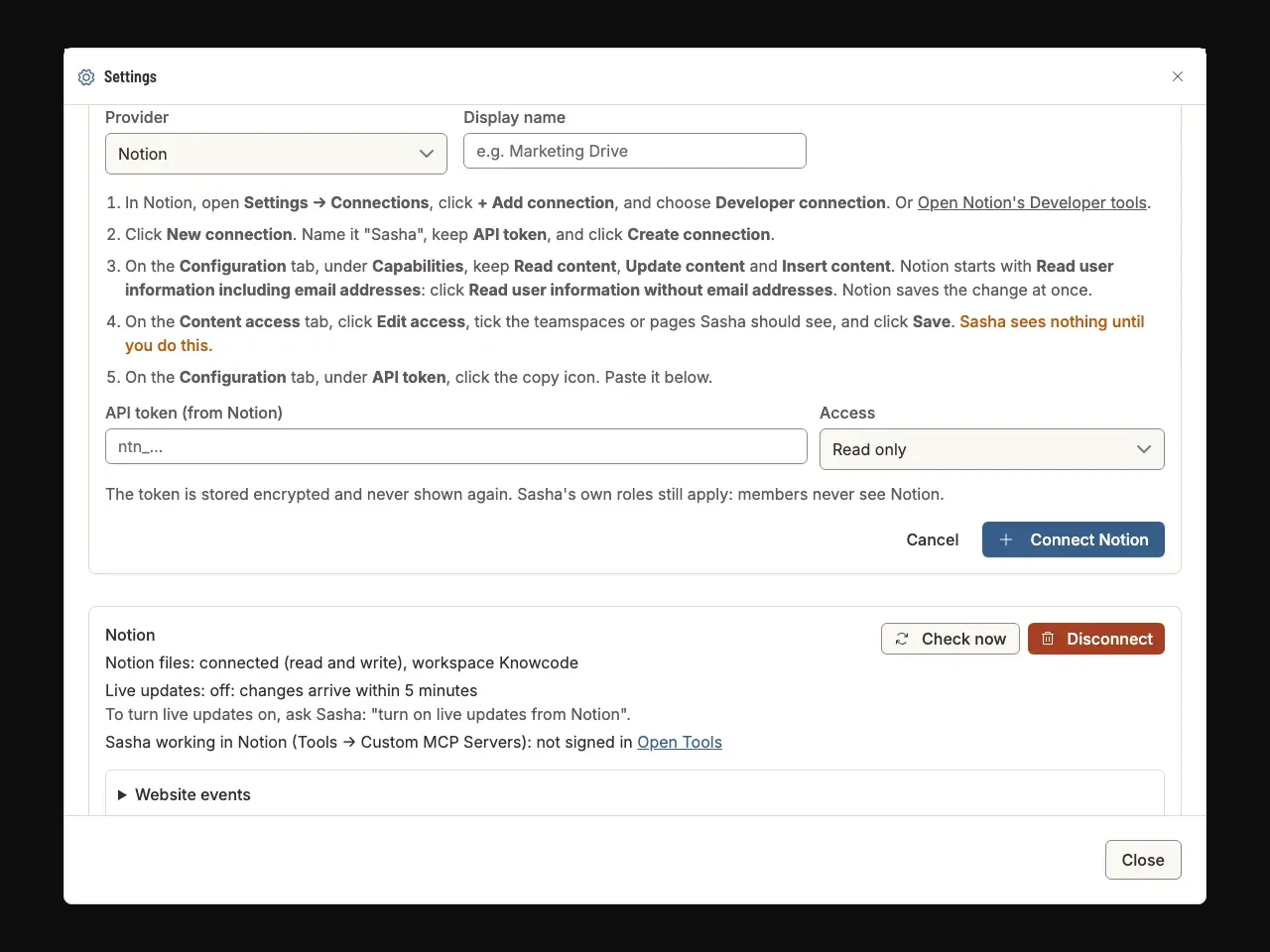
Sasha stores the token encrypted and never shows it again.
Step 5: check it works
The Notion tile on Settings → Shared Drives says Connected. The Notion card below it says which workspace is connected.
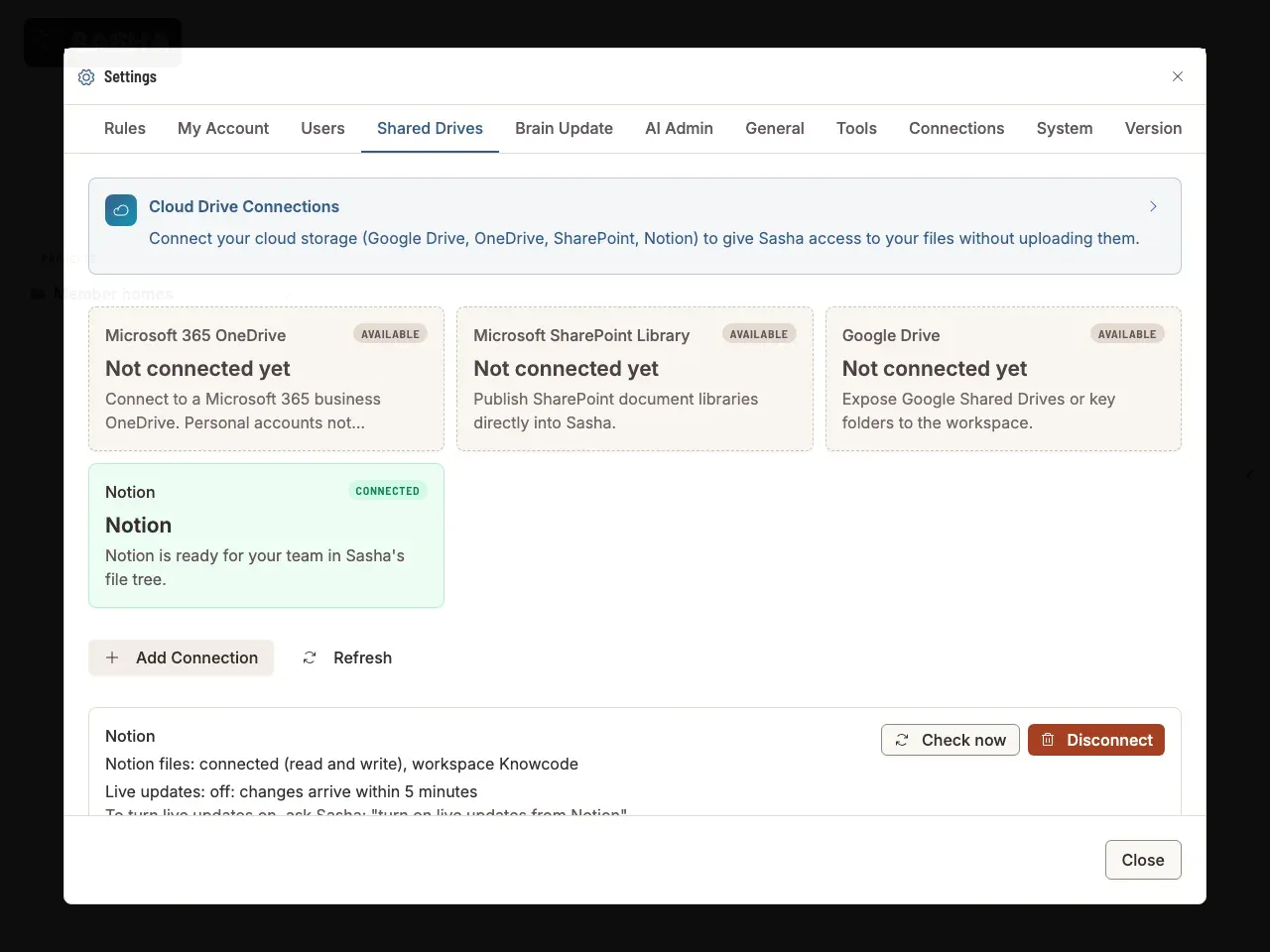
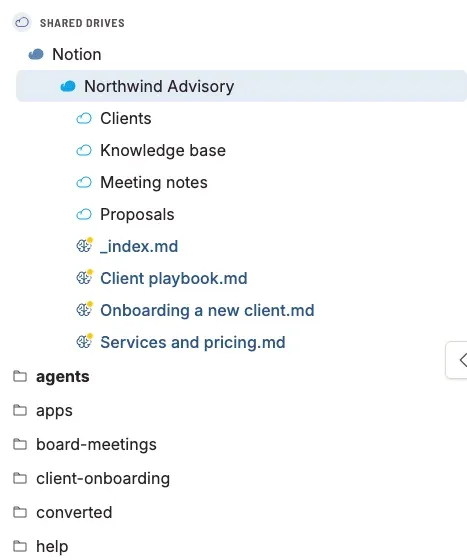
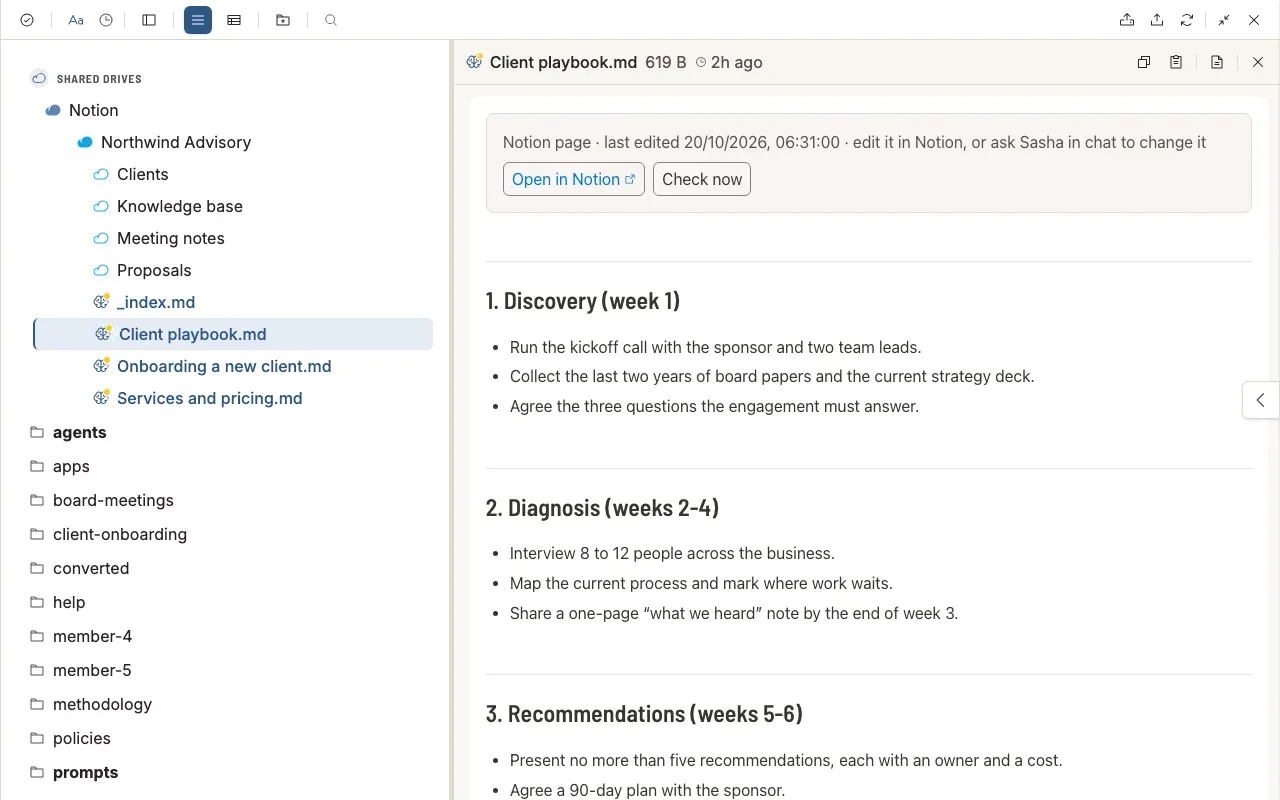
Open the file tree. Under Shared Drives, open Notion. Your pages show as files and folders. A page with sub-pages is a folder, and a Notion database is a folder of its rows.
Click a page to open it. It opens in the document panel on the right, like any other document. The bar at the top says when the page was last changed in Notion, with Open in Notion and Check now. A database row also shows its properties there.
If the Notion folder is empty
Sasha shows a notice on the Notion card and in the file tree when the connection can see no pages. To fix it:
- In Notion, open Settings → Connections → + Add connection → Developer connection, and click your Sasha connection.
- Do Step 3 above: Content access → Edit access, tick the pages, Save.
- In Sasha, click Check now on the Notion card.
Changes in Notion
Sasha looks for changes every 5 minutes. Check now on the card, or on an open page, looks at once. To see changes in about a minute, ask Sasha in chat: "turn on live updates from Notion". Sasha then walks you through Notion's Webhooks tab.
Questions
I connected Notion, but the Notion folder in Sasha is empty. Why?
The Notion connection has no pages. A new connection starts with "No page access". In Notion, open the connection, go to Content access, click Edit access, tick the pages, and click Save. Then click Check now on the Notion card in Sasha.
Can Sasha see all of our Notion?
No. Sasha sees only the pages you tick on the connection's Content access tab, and the pages under them. Add or remove pages there at any time.
Can people edit Notion pages from Sasha?
Edit a page in Notion with Open in Notion, or ask Sasha in chat to change it. Sasha changes a page only when the connection's access is Read and write.
A new page does not show in Sasha yet. Why?
Sasha checks Notion for changes every 5 minutes. Click Check now on the Notion card, or Check now on an open page, to look at once.
Do members see Notion?
No. Admins and staff see Notion in the file tree. Members never do.
How do I stop Sasha reading Notion?
Click Disconnect on the Notion card in Settings → Shared Drives. Nothing in Notion changes. To remove Sasha's access in Notion too, delete the connection in Notion's Developer tools.